


Zephyr Lodge
With floor to ceiling windows and outdoor seating, you can enjoy breathtaking views of the Sierra Nevada Crest at 8,000 feet at Zephyr Lodge.
Relax and take in the scenery while warming up over a hearty bowl of ramen or other delicious Asian fusion cuisine.

Hours & Location , opens in a new window
Please Note: Opening 12/4
9:00am - 3:00pm
7 days a week
Location: At the top of the Tahoe Zephyr Express
Dining Type: Quick Service
Cuisine Type: Asian Fusion
Bar: Yes
Serves: Lunch, Après
Dietary Options: Vegetarian & Gluten Free
Lift Access Required: Yes, but the Tahoe Zephyr Express has gondola cabins for foot-traffic passengers.
Reservations: Not required
EMR Eligible: Yes
Access: Zephyr Lodge is located at the top of the Tahoe Zephyr Express lift and is accessible by ski/snowboard or on foot.

Fuel Your Adventure , opens in a new window
As a pass holder, you can save 20% off a quick lunch, pick-me-up, or early-afternoon après. Just scan your pass and save at the following locations at Northstar:
Year Round
- The Lodge at Big Springs
Winter Only
- Summit Smokehouse
- Zephyr Lodge
- Taqueria at Lodge at Big Springs
Savings apply on orders up to $150 per day and discounts do not apply to alcohol.


Discover Delicious Destinations , opens in a new window
Discover All Mountain Dining

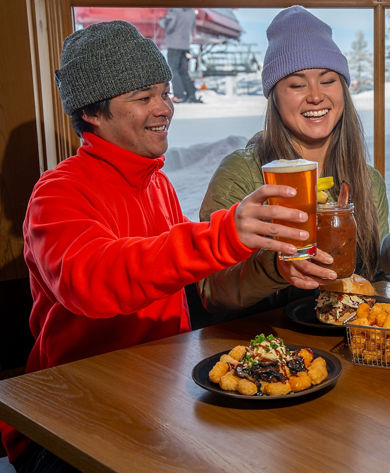


Lodge at Big Springs
Gather and dine at The Lodge at Big Springs, at the heart of the mountain.


Coffeebar
Modern design and a strong belief in high quality food and sustainable practices.
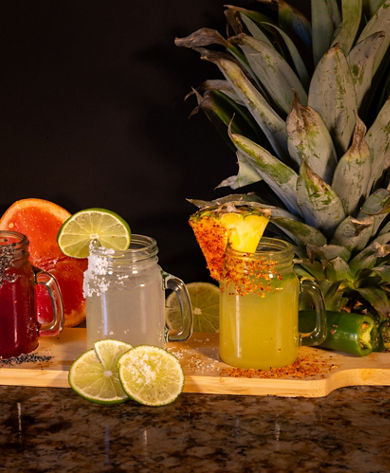


Overlook Bar
The Overlook Bar is located in the Northstar Village overlooking the Ice Rink.
Ordering FAQs
Welcome to Zephyr Lodge! Our new system allows you to order through a kiosk or your mobile phone.
- If you would like to order through your mobile phone, please utilize the QR codes at the lodge. They are located on each table and at the bar. Weather permitting; there will be an option to utilize QR codes from the outside tables. Once on the webpage, you can navigate through our menu items, add them to your cart, and check out.
- If you would like to order through the kiosk, all you have to do is step up to the kiosk and identify if you are a guest or Epic Pass holder. You will be able to look through our options and make your selections. Don’t forget to add a treat from our Sweet Street!
- Scan a QR code located on all indoor tables and bar (outdoor seating option – weather dependent)
- Browse through our menu online and create your order
- Continue to the checkout page to complete transaction and submit payment
- Wait to receive a text or look for your number on the TVs to turn green to pick up your order
- Step up to kiosk, if you are an Epic Pass holder, please scan your pass at this time
- Browse through our menu and place your order
- Continue to the checkout page to complete transaction and submit payment
- Wait to receive a text or look for your number on the TVs to turn green to pick up your order
- Once you complete your check out, you will be asked to input a phone number, or email. You will receive an order number. This order number will be displayed on the screens around the lodge as either orange (being prepared) or green (ready for pick up).
- Can’t see the TVs? That’s fine, entering your phone number, or email, allows us to contact you when your order is ready (we recommend entering your phone number).
- The Pick Up Station is located centrally, at the rear.